

Have you done everything to successfully market your small or local business but it seems that you are not going anywhere at all? You probably put up a beautiful website and you are excited to check it every day only to find out that the only clicks you get are the ones you made. No one finds you, simple and plain. If you don’t use any Internet Marketing method at all, your website will never get noticed.
THAT’S WHY WE ARE HERE FOR YOU!
TESTIMONIAL
“Gripweb Internet Marketing is one of the best partners we have to date! They helped us run our own SEO agency at the beginning. We owe a lot from your guys. I highly recommend that you hire them for your SEO campaign!” – William, SEO Expert from Keyforgeseo.com
Check our Latest Releases!
SEO in 2025: Dead Marketing Tactic or Small Business Lifeline?
TL;DR: SEO is still one of the most effective ways for businesses to be discovered online. It improves visibility, builds trust, and supports long-term growth by connecting you with people already searching for what you offer.
Key Takeaways:
- Search engines value helpful content, ease of use, trust signals, and fast-loading websites.
- SEO provides long-term, cost-effective results compared to paid ads.
- Small businesses can compete with larger brands by focusing on local SEO and clear strategies.
- Consistent, experience-based content helps build trust and attract the right audience.
If you’ve ever searched for your business on Google and didn’t see it anywhere near the top, you’re not alone.
Many small business owners wonder why some companies always appear first in search results while theirs remain hidden.
The answer often comes down to one thing: SEO. Search Engine Optimisation (SEO) continues to be one of the most effective ways to grow your online presence.
In 2025, it’s still a key part of digital marketing for small businesses. Whether you’re running a café, law firm, or online shop, SEO helps the right people find you at the right time.
What is SEO?
A Simple Explanation
SEO is about making your website easier to find on search engines like Google. When people type in words related to your business, SEO helps your site appear higher in the list of results.
The higher you rank, the more likely people will click on your site instead of a competitor’s.
That one click could mean a new customer, a product sold, or someone booking your service over someone else’s.
Think of SEO Like a Storefront
Imagine your website as a store on a busy street. SEO is like the signage, lighting, and even the word-of-mouth that guides people through your doors.
It helps potential customers notice you, feel confident enough to step in, and ultimately choose you over the shop next door.
Without it, your store might still be open, but it’s easy to miss.
How SEO Has Changed in 2025
Search engines have gotten better at understanding what people actually want. They don’t just look for keywords anymore.
Instead, they evaluate how useful and trustworthy your website feels to visitors.
Here’s what Google now pays attention to:
- Helpful content that clearly answers questions
- Easy-to-use websites, especially on mobile phones
- Trust signals, like accurate business information and original writing
- Fast-loading pages that work smoothly on all devices
If your site is slow, hard to use, or doesn’t offer real value, search engines are less likely to show it to potential customers.
Why SEO Still Matters in 2025
People Still Search to Make Decisions
Most people still go straight to Google when they need something, whether it’s to order food, schedule a haircut, or find someone to fix a leak.
That habit hasn’t gone away. What’s different now is how often we do it.
With smartphones in our pockets and voice assistants always listening, it’s become second nature to search for answers all day long.
It Delivers Long-Term Results
Paid ads stop working the moment you stop paying. SEO takes time to build, but once you start ranking well, the results keep coming without extra ad spend.
It’s a smart investment if you’re planning to grow steadily.
It Builds Trust
Users often skip over ads and go straight to organic search results. That’s because ranking high without paying tells people your business is reliable.
It shows you’re not just paying for attention but earning it through relevance and value.
It Boosts Your Other Marketing Channels
When your content ranks well, it also gives you material to share on social media and email campaigns.
One blog post can work across several platforms, helping you get more value out of every effort.
What is SEO for Small Business?
Tailored for Simplicity and Budget
SEO for small businesses focuses on practical wins. You don’t need to compete with global brands. Instead, you aim to show up for people who are already searching for what you offer.
Five Ways SEO Helps Small Businesses
- You Get Found by Local Customers
Whether someone is looking for a nearby dentist or a new café, SEO helps you appear in those local search results. - You Can Compete with Bigger Brands
With the right strategy, your small business can outrank larger competitors who don’t focus on local SEO or user experience. - You Attract the Right Visitors
SEO brings in people who are already looking for what you offer, making them more likely to become customers. - It Improves Your Website
SEO encourages you to make your site easier to use, faster to load, and more mobile-friendly. That helps visitors stay longer and come back. - It Builds Long-Term Authority
Over time, consistent content and good SEO practices position your business as a trusted source of information.
SEO Basics That Still Matter in 2025
Keyword Research
Start by understanding what your ideal customers are searching for. Use tools like Google’s Keyword Planner or just think about the questions your customers ask you the most.
Then, create content that answers those questions clearly and honestly.
On-Page SEO
This includes page titles, headings, image names, and internal links. These elements help search engines understand what your page is about.
It also helps visitors scan and understand the content more easily.
Technical SEO
Your website should load fast, work well on phones, and have no broken links. These things may sound small but can hurt your rankings if ignored.
Local SEO
Set up and maintain your Google Business Profile. Encourage satisfied customers to leave reviews. Make sure your contact information is consistent everywhere it appears online.
Content That Builds Trust
Search engines favour content that shows first-hand knowledge. Write guides, answer common questions, and share your experience.
This not only helps with SEO but also gives people a reason to trust you.
For a deeper dive into improving your approach, check out this in-depth resource about mastering the art of SEO.
Common SEO Myths in 2025
“SEO is Dead”
This one comes up every year. The truth is, SEO has simply changed. The tactics may evolve, but the need for good content, fast websites, and search visibility remains.
“You Need to be a Tech Expert”
While SEO does have technical parts, most small business success comes from doing the basics well.
With the right guidance or partner, you don’t need to be a developer to improve your rankings.
“SEO Only Works for Big Brands”
In many cases, SEO works even better for small businesses. You’re not trying to rank for everything.
You’re trying to be visible to people looking for something specific, and that’s where SEO shines.
For readers who want to understand the journey of building strong rankings step by step, take a look at this resource on SEO Mastery Unveiled: A Journey to Conquer Search Engine Rankings.
How Gripweb Supports Small Business SEO
Helping Businesses Get Found
At GripWeb, We work with small businesses to identify their goals, understand their customers, and create strategies that work.
Whether it’s fixing a slow website or writing better content, we focus on what matters most for results.
What You Can Expect
Our clients appreciate clear communication, honest timelines, and results they can see. We don’t just run reports.
We explain what’s working and where improvements are needed, so you stay informed every step of the way.
Next Steps
If you’re looking to increase your visibility online and bring more qualified traffic to your website, SEO is one of the smartest steps you can take.
At Gripweb, we specialise in helping small businesses like yours turn their websites into growth engines.
Contact us today for a free website audit and get personalized recommendations.
Google Ads vs Facebook Ads: Which One Works Better for Your Goals?
TL;DR: Google Ads captures people who are already searching and ready to act. Facebook Ads reaches new audiences, builds interest and keeps your brand in view, and using both often delivers the strongest overall results.
Key Takeaways:
- Start with your goal: urgent leads point to Google, while awareness or a launch suits Facebook.
- Match to resources: if budget is tight and creative assets are limited, begin with Google; if you have strong visuals or UGC, add Facebook.
- Track the right way: use GA4 and Google Ads conversions, plus the Meta pixel and Conversions API, and judge by cost per lead or sale.
- Plan smart tests: run a 30-day trial with clear offers, two or three Google themes and three to five Facebook creatives, then scale the winners.
If you are torn between Google Ads and Facebook Ads, you are not alone. Both platforms can win new customers, yet they work in different ways.
This guide explains the differences in plain English so you can match the platform to your goal, budget and timeline.
The examples suit small to medium businesses, eCommerce stores, local services and B2B teams across Australia and Singapore.
What Are Google Ads and Facebook Ads?
What is Google Ads?
Google Ads is Google’s online advertising platform. It lets you show ads on Google Search, Shopping, YouTube and partner sites.
You choose keywords, audiences and locations, then set bids and budgets.
You usually pay when someone clicks. It suits people who are already looking for a product or service and want to act soon.
What is Facebook Ads?
Facebook Ads is Meta’s advertising system for Facebook, Instagram, Messenger and partner apps. You build audiences using interests, behaviours, demographics, custom lists and lookalikes.
You can run image, video, carousel, Stories and Reels. Pricing is based on impressions or clicks. It suits brands that want to reach new people, tell a story and stay visible with remarketing.
Fast Decision Guide
| Goal | Better starting choice | Why |
| Need leads or sales now from searchers | Google Ads | Captures active intent on keywords like “near me” and product names |
| Build awareness and interest | Facebook Ads | Reaches people by interests, lookalikes and behaviour with strong creative |
| Launch a new product | Facebook Ads | Creates demand and tells a story with video and carousels |
| Compete in a busy local market | Google Ads | Shows when people search service terms with location intent |
| Scale profit after proof of concept | Use both | Prospect on Facebook, capture on Google, remarket on both |

The 5-Factor Decision Framework
Intent Fit
Google works best when people already know what they want. Searches like “roof repair Perth” or “buy running shoes” show clear intent your ad can answer fast.
Facebook is ideal when people are open to new ideas. It suits lifestyle products, courses and events, and it also helps with remarketing by showing offers and reviews to visitors who did not buy.
Targeting Control
Google targeting relies on keywords, match types and search terms, and you can add in-market audiences, customer lists and location targeting. Use negative keywords to cut wasted spend.
Facebook targeting uses interests, behaviours, custom audiences and lookalikes, with controls for age, gender, location and device.
With recent privacy changes on iOS and browsers, first-party data and server-side connections matter on both platforms.
Creative and Formats
Google offers Search text ads, Shopping product tiles, YouTube video and Display banners. Match your copy to the query, use strong headlines and assets with a clear call to action, and send people to fast, relevant pages.
Facebook offers image and video ads across Reels, Stories, Carousel and Collection.
Use simple hooks, show real product use with user generated clips and social proof, and refresh creative often to avoid fatigue.
Cost and ROI Dynamics
Costs vary by industry and competition. Google often costs more per click but converts well when intent is high, while Facebook typically delivers cheaper reach.
Your return depends on the offer, creative, audience, and how well your site or checkout performs.
Set a test budget that collects enough data. For lead gen, aim for a few dozen clicks per ad group.
Let each Facebook ad set exit learning with steady spend and a handful of conversions; focus on cost per lead or sale, not just clicks.
Measurement and Scaling
Set up tracking the right way.
- Link Google Ads to GA4 with conversion events and enhanced conversions, install the Meta pixel with Conversions API. Use data-driven attribution while checking blended metrics like revenue versus total ad spend.
Scale with a simple plan.
- On Facebook, test fresh hooks, formats and angles every fortnight. On Google, expand winning themes, refine match types, add negatives and keep remarketing running on both.
For a deeper walkthrough, see this Google Analytics 4 setup and tracking guide.
Ad Formats and Use Cases
Lead generation for local services
- Google Search for core service terms.
- Facebook lead ads or video to remarket site visitors and engaged users.
eCommerce
- Facebook and Instagram for prospecting with video and carousel.
- Google Shopping or Performance Max to capture high intent.
- Remarketing on both platforms with product feeds and offers.
B2B and professional services
- Google Search for problem and solution keywords.
- Facebook for thought leadership, case studies and webinar signups.
Cost, Timeline and Resourcing
Facebook can gather early signals quickly at smaller budgets. It needs a steady stream of creative and clear offers. Google needs enough clicks per ad group to optimise.
It needs tight structure, strong copy and solid landing pages.Set realistic timelines. Give new campaigns two to four weeks to stabilise.
Keep budgets steady while in learning. Check search terms, placements and frequency weekly. Fix obvious leaks fast.
Pros and Cons Side by Side
Google Ads
Pros:
- Captures hot intent. People are actively searching for answers and ready to act.
- Works well for local search and the bottom of the funnel. Great for “near me” searches and urgent needs.
- Clear keyword control. You choose queries, add negatives and shape the traffic you pay for.
Cons:
- Higher CPC in some markets. Competition on valuable terms can push prices up.
- Can waste without negatives and strong pages. Weak landing pages and broad matches hurt results.
Facebook Ads
Pros:
- Low cost reach. You can test messages and reach large audiences for modest spend.
- Strong for storytelling, awareness and remarketing. Visual formats build interest and trust over time.
- Rich creative options. Mix images, video, Reels and Carousels to find winning angles.
Cons:
- Results depend on creative quality and tracking. Poor ads or broken signals limit scale and accuracy.
- Performance can dip without fresh ads. Rotate concepts and audiences to keep costs stable.
When To Choose Google Ads, Facebook Ads, Or Both
Choose Google Ads if people already search for you or your service. Local services, urgent repairs, and high intent B2B terms often do well.
Choose Facebook Ads if you need to tell your story, grow an audience or launch something new.Many eCommerce brands start on Facebook to build interest, then add Google to capture ready buyers when they search.
Using both can lift total revenue by prospecting on Facebook, capturing demand on Google, and keeping people warm with remarketing on both.
For a deeper side by side, see this ads guide.
Why Choose GripWeb
GripWeb is a digital marketing team based in Singapore that serves clients across Australia and the wider Asia Pacific region. We plan and run Google Ads and Facebook Ads with clear goals and simple reporting.
We match strategy to your goals, budget and timeline. Tracking is clean with GA4, Google Ads conversions, the Meta pixel and Conversions API.
We keep Facebook and Instagram fresh with ongoing creative tests, tighten search structures to cut waste and lift quality, and share weekly updates so you know what changed and why.
Ready To Get Help? Book A Strategy Call
Let us turn clicks into customers. Not sure whether to start with Google or Facebook?
We will review your goals, current setup and budget, then give you a simple plan you can use right away.
SEO Services That Work: My Honest Guide to Getting Real Results Online
If you’ve ever asked yourself:
- “Do I need SEO services?”
- “Is SEO even worth it anymore?”
- “How do I choose someone who won’t rip me off?”
…then, mate, you’re in the right place. I’ve been where you are — trying to figure out why my site wasn’t ranking, wondering what all the hype was about, and searching for help without getting scammed by someone who promises the world and delivers sweet nothing.
Let me share what I’ve learned the hard way — the good, the dodgy, and the stuff that works.

What Are SEO Services? (No Buzzwords, Promise)
SEO services are just things people do to help your website appear higher on Google when someone searches for stuff you sell or talk about. That’s it.
But it’s not just about stuffing your website with keywords or buying 100 backlinks from dodgy
Eastern European directories. Good SEO is about:
- Writing helpful content people want to read
- Fixing your site’s technical issues so Google doesn’t throw a hissy fit
- Make sure your pages load quickly
- Getting quality links from websites that aren’t complete rubbish
- Tracking what’s working so you’re not flying blind
Think of SEO like a garden. If you ignore it, weeds grow. If you look after it—feed the soil, prune the plants, and water it regularly—it starts to bloom. It’s not magic—it’s just consistent work.
Why I Started Using SEO Services (And Why You Might Want To, Too)
I launched a little online store selling hand-carved wooden homewares a couple of years ago. I created a website, posted a few photos on Instagram, and waited.
Nothing happened. That’s when I found out — having a website doesn’t mean people will see it.
After trying to DIY my SEO for a few months (and nearly throwing my laptop out the window), I finally reached out for proper SEO services. Not only did I get more traffic, but that traffic turned into real orders — actual sales from people outside my circle of friends. Game-changer.
What You Should Expect from SEO Services
Here’s the honest truth: good SEO takes time. If someone promises “Page 1 rankings in 30 days!” — run.
Instead, here’s what real SEO services should include:
- Keyword Research
This is the foundation. You need to know what your ideal customers are typing into Google. A proper SEO provider will dig into the following:
- What people are searching for
- Which phrases are worth targeting
- How hard will it be to rank each keyword
- What your competitors are doing
- Technical Fixes
Google is a picky guest. If your site loads like it’s on dial-up, have broken links or isn’t mobile-friendly, it’ll be booted down the rankings.
Expect things like:
- Site speed improvements
- Mobile responsiveness checks
- Proper headings and tags
- Fixing crawl errors and dead links
- Content Strategy
No, not blog posts that read like they were written by a robot with a caffeine addiction. Real content that:
- Answers questions your audience has
- Builds trust
- Keeps people on your site longer
- Gets shared naturally
- Link Building
This is about getting other solid websites to link back to yours. But not through spammy methods. We’re talking:
- Guest posts on relevant blogs
- Business directories (the legit kind)
- Local news shoutouts
- Sharing useful guides (like this one!)
- Reporting and Tracking
You need to know what’s working and what’s not. A proper SEO report should show:
- Traffic growth
- Keyword movement
- Page performance
- Leads or sales generated
If you don’t understand the reports your SEO guy sends — ask. And if they can’t explain it in plain English? That’s a red flag.

Common Questions I Hear About SEO Services
“How long does SEO take to work?”
Usually, you’ll see solid traction within 3–6 months. Sometimes sooner, sometimes longer — depending on how competitive your niche is and the state of your website.
“Can I do SEO myself?”
Absolutely. I started that way. But, like fixing your plumbing, it takes time, patience, and a lot of Googling. Hiring someone can be well worth the investment if you’d rather focus on your business.
“Are paid ads better than SEO?”
Paid ads get quick traffic. But when the money stops, so does the traffic. SEO builds long-term results. Ideally, use both together for a good balance.
My Checklist: What to Look For in SEO Services
If you’re thinking about hiring someone, here’s what I suggest checking for:
They offer a free audit (but not one that’s full of scare tactics)
They ask about your goals, not just rankings
They explain things in plain language
They don’t lock you into long contracts
They’re upfront about pricing
They send clear monthly reports
And trust your gut. If something feels off, it probably is.

What I’ve Learned From Working with SEO Pros
Here’s the biggest lesson: good SEO is never a one-size-fits-all solution.
Some businesses need local SEO, like plumbers or cafes that want to appear in “near me” searches. Others need an eCommerce SEO strategy focused on product pages. Some need technical help, some need better content, and most need a bit of everything.
And here’s the kicker — Google rewards helpful sites. If your content helps people, your site works well, and other good sites link to you, you’re already halfway there.
DIY SEO Tips If You’re Just Starting Out
Not ready to hire someone yet? Fair enough. Here are a few things you can do yourself:
Claim your Google Business Profile
If you’re local, this is a must. Add your address, photos, and services, and update it regularly.
Write blog posts that answer real questions.
Think: “How do I clean wooden cutting boards?” instead of “Our wooden board range.”
Compress your images
Big images = slow site. Use tools like TinyPNG or ShortPixel.
Add internal links
Link between your pages where it makes sense. Helps users and search engines understand your site better.
Use proper headings
Don’t use bold text for titles. Structure your content properly using H1, H2, and H3 tags.
My Final Thoughts on SEO Services
I know this stuff can feel overwhelming. A million opinions are online, and everyone’s trying to sell you something. But here’s the truth I’ve learned:
SEO isn’t just a marketing tactic — it’s part of running a modern business.
Treating it like a long-term investment — like you would a solid tool or a reliable one that’ll serve you for years. But if you treat it like a quick fix, it’ll let you down.
Start small, be consistent, and don’t be afraid to ask questions. Whether you’re DIYing it or hiring help, the key is to stay curious and keep learning.
Let’s Chat: What’s Been Your Experience with SEO Services?
Have you tried SEO before? Have you been burned? Have you found someone good? Let me know in the comments below—I read everyone. Or, if you’re just starting out and feeling a bit lost, drop your website link, and I’ll give it a quick look (no sales pitch, promise).
And hey—if you found this helpful, share it. You never know who else is stuck wondering how SEO is supposed to work.
Google SEO: A Simple Guide to Mastering Search Engine Optimisation for Your Website
G’day, I’m Sam, and I’m here to share everything I’ve learned about Google SEO with you. SEO might feel like a maze if you’re a small business owner, blogger, or anyone looking to improve your website’s visibility. But don’t worry—I’ve been there, and I can promise you that once you get the hang of it, SEO becomes a lot less intimidating.
Google SEO is crucial for ensuring your website appears in search engine results when people search for terms related to your business. It’s all about making your site visible and accessible to your target audience. In this guide, I’ll walk you through the basics of SEO, what it means, and how you can improve your rankings on Google without feeling overwhelmed. So, grab a cup of coffee and let’s dive in.
What Is Google SEO?
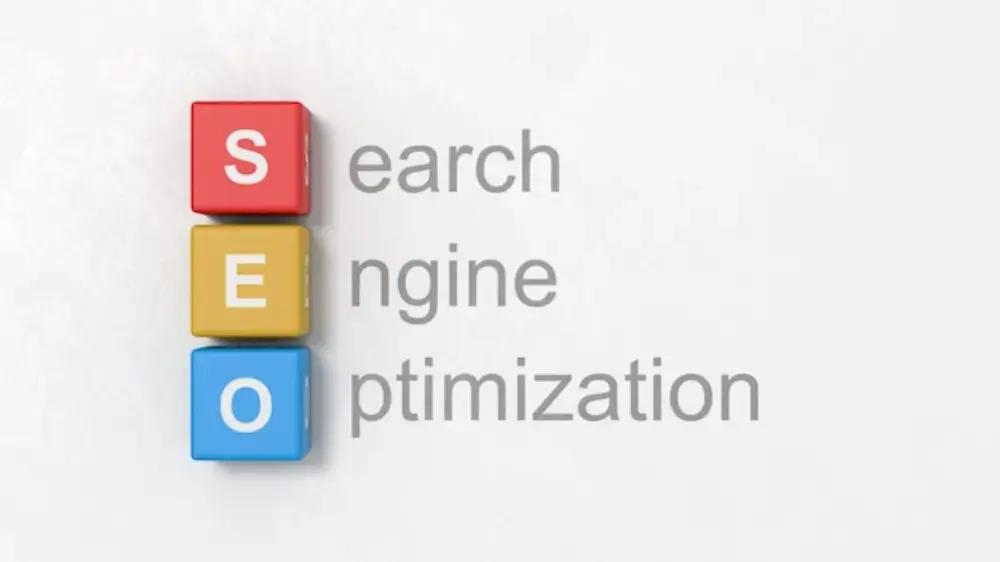
Google SEO, or Search Engine Optimisation, makes your website more attractive to search engines like Google. When you optimise your site correctly, Google can better understand what your pages are about and rank them higher when people search for related keywords. This process includes ensuring your site content, design, and technical aspects align with what Google values in terms of quality, relevance, and usability.
In simple terms, SEO is how you ensure that Google recognises your website as a helpful resource and displays it in search results when users are looking for what you offer.
Why Is Google SEO Important?
SEO can make or break your online presence. Think of Google as a massive library and each website as a book. The better your book (website) is organised and labelled, the higher your chances of being picked when someone asks for information related to your content. Without good SEO, your website might be buried deep within Google’s search results, far from where potential visitors will find it.
Here’s why SEO is crucial for your business:
- Increased Visibility: Higher rankings on Google lead to more visibility, meaning more people will visit your website.
- Targeted Traffic: Good SEO brings in visitors actively searching for your products, services, or content, making them more likely to convert into customers.
- Long-Term Results: Unlike paid ads, which stop working when you stop paying, SEO efforts compound over time, providing long-lasting benefits.
Common Questions About Google SEO
I’ve received several questions from people starting their SEO journey, and I want to tackle some of the most common ones here.
1. How does Google rank websites?
Google uses algorithms to determine how relevant and trustworthy a website is. These algorithms are constantly evolving, but they typically consider factors like:
- Keywords: Does your page contain the words people are searching for?
- Backlinks: Are other trustworthy websites linking to your page?
- User Experience: Is your site easy to use and mobile-friendly?
- Content Quality: Does your content provide value and answer the searcher’s intent?
The goal is to align your website with these ranking factors so that Google views it as relevant and useful.
2. How long does it take to see results from SEO?
SEO is a long-term game. It can take a few weeks to several months to start seeing tangible results, depending on how competitive your industry is and how well you implement SEO strategies. However, the key is consistency. The more you improve your website and content, the higher your rank.
3. Do I need to hire an SEO expert?
While hiring an expert can be helpful, especially for complex SEO strategies, many aspects of Google SEO can be managed by yourself. Learning takes time, but with the right resources, you can improve your website’s ranking without breaking the bank. The most important thing is to start.
The Key Elements of Google SEO
Now that we’ve addressed some basic questions, let’s dive into the key elements of Google SEO. You should focus on improving your rankings in these areas.
1. Keyword Research
Keyword research is the foundation of Google SEO. It’s the process of identifying the words and phrases people use when searching for something related to your business. For example, if you run a bakery, you might target keywords like “fresh bread near me“ or “best cakes in .”
How to do keyword research:
- Use tools like Google Keyword Planner, Ahrefs, or SEMrush to discover popular search terms in your niche.
- Look for long-tail keywords—longer phrases that tend to be less competitive but highly relevant to your audience.
- Understand your audience’s intent: Are they looking for information, or are they ready to make a purchase?
Once you’ve identified your target keywords, use them naturally in your content, titles, meta descriptions, and image alt text.
2. Content Creation and Optimisation
Content is king when it comes to SEO. Google loves fresh, valuable content that answers user queries. You aim to create detailed, helpful, and engaging content that adds value to the user experience.
Best practices for creating SEO-friendly content:
- Write for your audience first and optimise for Google second. If your content is useful and interesting, it will naturally attract backlinks and rank better.
- Use keywords naturally. Don’t stuff them in—make sure they fit into the context.
- Create different types of content: blog posts, videos, infographics, and case studies, as this keeps your site dynamic and more likely to rank for various queries.
- Update older content regularly to keep it relevant.
3. On-Page Optimisation
On-page SEO involves optimising your web pages for both search engines and users. This includes page titles, headings, URLs, and internal linking.
Key on-page SEO factors:
- Title Tags: Ensure your titles are catchy, clear, and contain your target keywords.
- Meta Descriptions: Write compelling descriptions that summarise your page and include relevant keywords.
- Headings (H1, H2, H3): Use headings to break up content and make it easier for readers and search engines to understand.
- Internal Linking: Link to other pages on your site to improve navigation and help search engines crawl your site more efficiently.
4. Technical SEO
Technical SEO is all about your website’s back-end structure. It involves improving the site’s speed, making it mobile-friendly, and ensuring search engines can easily crawl and index your pages.
Technical SEO checklist:
- Mobile-Friendly Design: Google uses mobile-first indexing, meaning it prioritises the mobile version of your site in its rankings.
- Site Speed: A fast-loading site improves user experience and can help your rankings. Tools like Google PageSpeed Insights can help you assess your speed.
- XML Sitemap: Make sure Google can easily crawl your site by submitting an XML sitemap to Google Search Console.
- Secure Website (HTTPS): Google prefers secure websites, so ensure yours is using HTTPS.
Building Backlinks
One of the most important ranking factors in Google SEO is backlinks. Backlinks are links from other websites to yours, and they signal to Google that your site is trustworthy and valuable. Quality backlinks can significantly boost your rankings.
How to build backlinks:
- Create high-quality content that others want to link to.
- Contact other bloggers or businesses in your niche and ask for backlinks.
- Guest post on reputable websites and include a link back to your site.
The Importance of User Experience (UX)
Google has made it clear that user experience matters. If your site is hard to use or navigate, it will hurt your rankings. Your website must load quickly, be easy to navigate, and be mobile-friendly.

Conclusion
Google SEO may seem daunting initially, but with the right strategies, it’s an incredibly powerful tool for growing your online presence. By focusing on keyword research, content creation, on-page and technical optimisation, and building quality backlinks, you’ll be well on your way to improving your rankings. Remember, SEO is a long-term game, so be patient and consistent.
Feel free to share your experiences with SEO in the comments below. I’d love to hear what strategies have worked for you or if you have any questions. Happy optimising!
Online Ad Strategies: How to Run Ads That Work
Hi, I’m Sarah. If you’re looking for online ad strategies that actually bring results, you’re in the right place. When I started running ads, I wasted too much money on campaigns that didn’t convert. Sound familiar? The good news is that online advertising can be a game-changer for any business with the right approach. Let’s break it down so you can see real ad spend returns.
Why Online Ads Matter
Organic reach is shrinking. Whether on social media, Google, or other platforms, getting in front of the right audience without paid ads is harder than ever. But here’s the thing—throwing money at ads without a strategy is a recipe for frustration. The key is knowing where to advertise, who to target, and how to make your ads stand out.

Choosing the Right Platform for Your Ads
Not every ad platform is the right fit for every business. Here’s a quick breakdown of some of the most effective options:
1. Google Ads
- Ideal for: Businesses that want immediate visibility in search results
- Best for: Local businesses, e-commerce, and service-based industries
- Ad types: Search ads, display ads, video ads, and shopping ads
2. Facebook & Instagram Ads
- Ideal for: Brands that want to target specific interests and demographics
- Best for: E-commerce, lead generation, and brand awareness
- Ad types: Carousel ads, video ads, lead generation ads, and retargeting ads
3. TikTok Ads
- Ideal for: Brands that want to reach a younger audience with engaging content
- Best for: E-commerce, apps, and viral products
- Ad types: In-feed ads, branded challenges, and influencer collaborations
4. LinkedIn Ads
- Ideal for: B2B companies looking to target professionals
- Best for: Lead generation, recruitment, and high-ticket services
- Ad types: Sponsored content, message ads, and text ads
5. YouTube Ads
- Ideal for: Businesses with video content that educates or entertains
- Best for: Brand awareness, product launches, and high-engagement marketing
- Ad types: Skippable video ads, non-skippable ads, and bumper ads
How to Target the Right Audience
One of my biggest mistakes early on was trying to reach everyone. That’s a fast way to burn through your budget. Instead, focus on these targeting options:
1. Demographics & Interests
Most ad platforms allow you to target by:
- Age
- Gender
- Location
- Interests
- Behaviour (e.g., frequent shoppers, travellers, homeowners)
2. Custom Audiences
These allow you to reach people who:
- Have visited your website
- Engaged with your social media
- Signed up for your email list
3. Lookalike Audiences
Once you have a solid customer base, you can create a lookalike audience—people who share similar traits with your existing customers.
4. Retargeting
Ever browsed a product online and then seen ads for it everywhere? That’s retargeting, and it’s one of the most effective online ad strategies. It reminds potential customers about your brand and encourages them to complete a purchase or sign up.
Crafting Ads That Convert
An ad that doesn’t grab attention is wasted. Here’s how to create ads that get results:
1. Strong Headlines & Clear Messaging
Your ad needs to answer one question: Why should someone care?
- Example: Instead of “Shop Our New Skincare Line,” try “Struggling with Dry Skin? Try This!”
2. Eye-Catching Visuals
People scroll fast. Ensure your ad has high-quality images, bold colours, and engaging videos.
3. A Compelling Offer
Give people a reason to click:
- Limited-time discounts
- Free shipping
- Exclusive bonuses
4. A Clear Call-to-Action (CTA)
Tell your audience exactly what to do next:
- “Shop Now”
- “Sign Up for Free”
- “Get Your Discount”
Managing Your Ad Budget Wisely
No one wants to waste money on ads that don’t work. Here’s how to make every dollar count:
1. Start Small & Test
Don’t dump your entire budget into one campaign. Start with a small amount, test different creatives, and see what works.
2. Monitor Performance Metrics
Keep an eye on:
- Click-through rate (CTR)
- Cost per click (CPC)
- Conversion rate
- Return on ad spend (ROAS)
3. Optimise & Scale
Once you find an ad that works, gradually increase your budget while monitoring performance. Pause or tweak underperforming ads.
Common Online Advertising Mistakes to Avoid
Even the best online ad strategies can fail if you’re making these mistakes:
- We are not testing different ad creatives, so a single version might not resonate with everyone.
- Ignoring mobile optimisation – Most people browse on their phones, so make sure your ads and landing pages are mobile-friendly.
- Focusing only on clicks – If people click but don’t convert, your ad needs refining.
- Giving up too soon – Ads often take time to optimise. Track results over weeks, not just days.
Final Thoughts on Online Ad Strategies

Running successful online ads isn’t about luck—it’s about strategy. Choose the right platform, target the right audience, create compelling ads, and track your results. With patience and testing, you’ll start seeing real results from your online advertising efforts.
Have you run online ads before? What worked (or didn’t work) for you? Leave a comment—I’d love to hear about your experience!
